AWS Marketplace
Apache OFBiz Container Solutions
Apache OFBiz Container Solutions Apache OFBiz is an open-source ERP system written in Java and built on a suite of enterprise...
Apache OFBiz is an open-source ERP system written in Java and built on a suite of enterprise applications that integrate and automate many of an enterprise's business processes. It supports business cases for CRM (Customer Relationship Management), E-Business / E-Commerce, SCM (Supply Chain Management), and MRP (Manufacturing Resource Planning).
The main advantage of OFBiz is that it comes with a set of pre-built components for standard ERP functionality, and complex ERP infrastructure is already in place and ready to use out of the box. Organizations can leverage these pre-built components to get an ERP system up and running quickly without developing everything from scratch.
Some of the main pre-built components and features in OFBiz include:
- Accounting - General ledger, accounts receivable, accounts payable, invoicing, expense management. Provides capabilities for managing finances.
- Manufacturing - Bills of materials, work orders, manufacturing scheduling, routing, and costing. Supports manufacturing operations.
- Inventory Management - Warehouse and inventory management, cycle counts, inventory transfers. Handles inventory and fulfillment.
- Catalog Management - Product catalog, catalog browsing, price management. Enables e-commerce storefronts.
- Human Resources - Organizational model, positions, compensation, recruiting, benefits, employee self-service. Automates HR processes.
- Order Management - E-commerce and brick-and-mortar sales, returns, exchanges, and tax calculation. Manages order-taking and fulfillment.
- Content Management - Content creation, review, publishing, site management, and menus. Handles content and websites.
- Framework - Common infrastructure, logic, services, APIs, and utilities. Foundation services.
Technical Usage Manual Method 1: Container imagesPrerequisites:
- Install docker
- Install AWS CLI: https://docs.aws.amazon.com/cli/latest/userguide/getting-started-install.html
- Configure AWS CLI: https://docs.aws.amazon.com/cli/latest/userguide/welcome-examples.html
After the subscription of Apache OFBiz Container Solutions click Continue to Configuration then continue to launch
Below the configuration details you can find Container images, Copy and Paste the following command to authenticate to Amazon Elastic Container Registry and download the container image on your instance
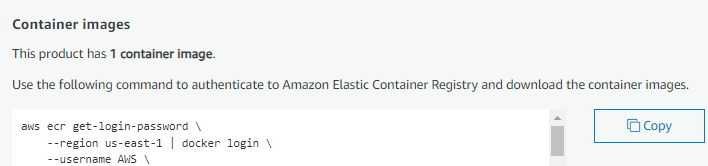
To run the container use the command:- docker run -d -p 8080:8080 [Paste the Pulled Docker Image with tag ]Note: Configuration typically takes 7 to 10 minutes, so please log in after 10 minutes.
To get the password use the command :- docker exec -it cat /ofbiz/runtime/admin_password.txt

- Copy the Public IP of your instance Replace the ‘’Public_IP’’ in the URL and Open the URL in your Browser
URL: http://Public_IP:8080/partymgr/control/main

- The Login Page appears
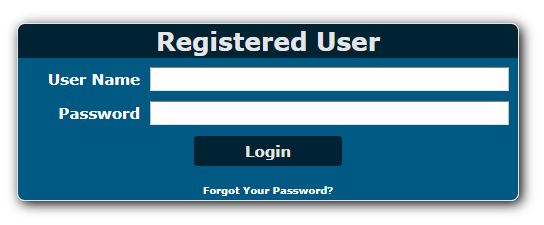
Enter the User Name as admin
Enter the Password as we get from the terminal ( From Step 4)
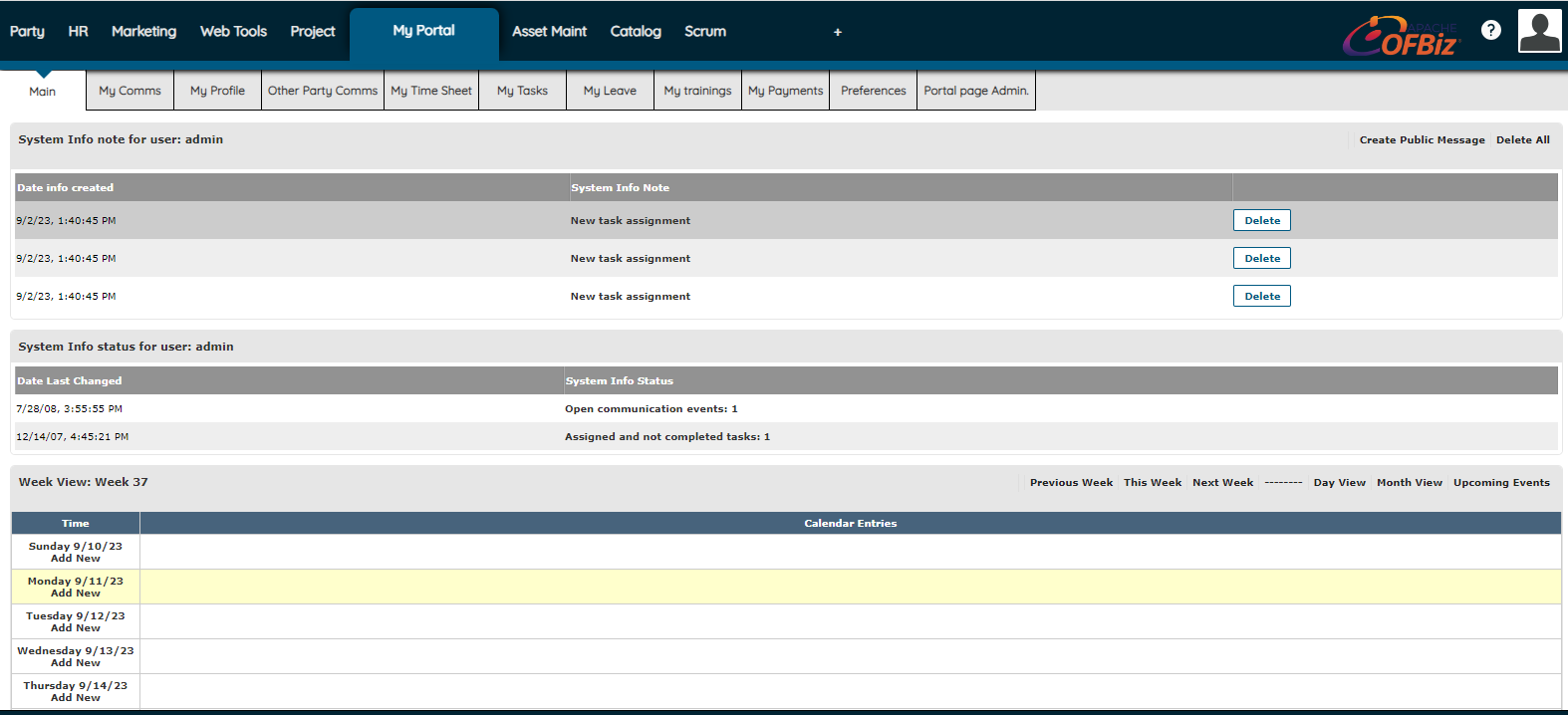
- After the Login your application page looks like this and you are ready to configure the ERP application you want
Method 2: Deployment template
After the subscription of Apache OFBiz Container Solutions click Continue to Configuration then continue to launch. Select the deployment container and the ApacheOFBizContainerSolutions.yaml file will be downloaded
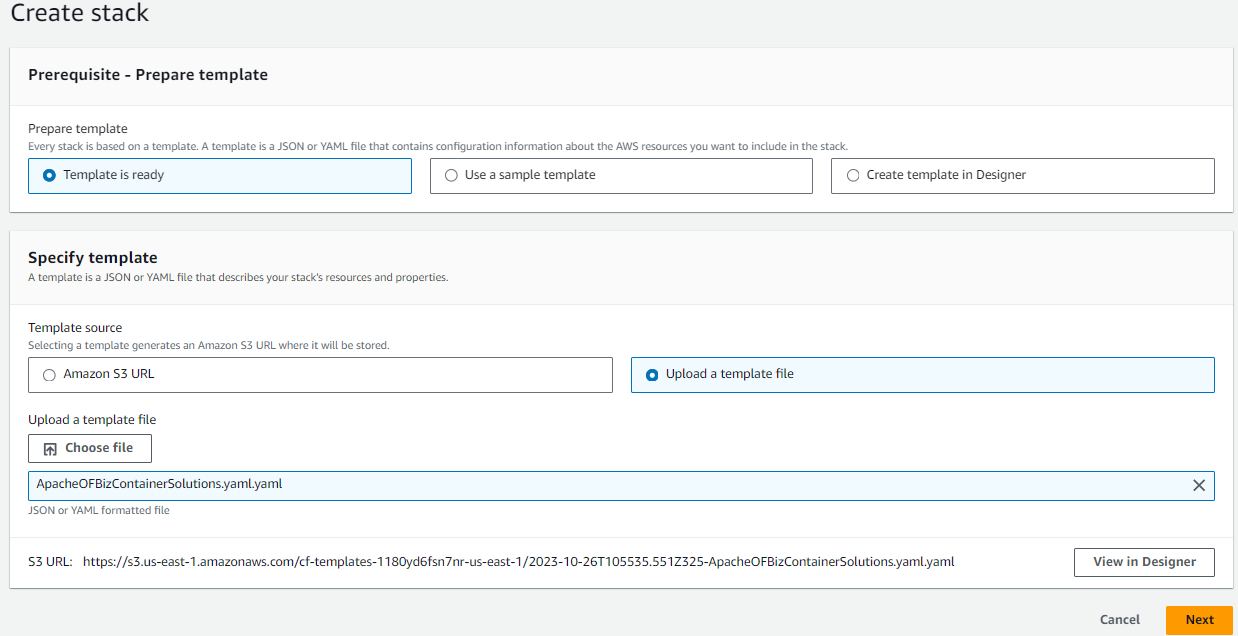
Go to your CloudFormation dashboard and click Create Stack to upload the ApacheOFBizContainerSolutions.yaml file.
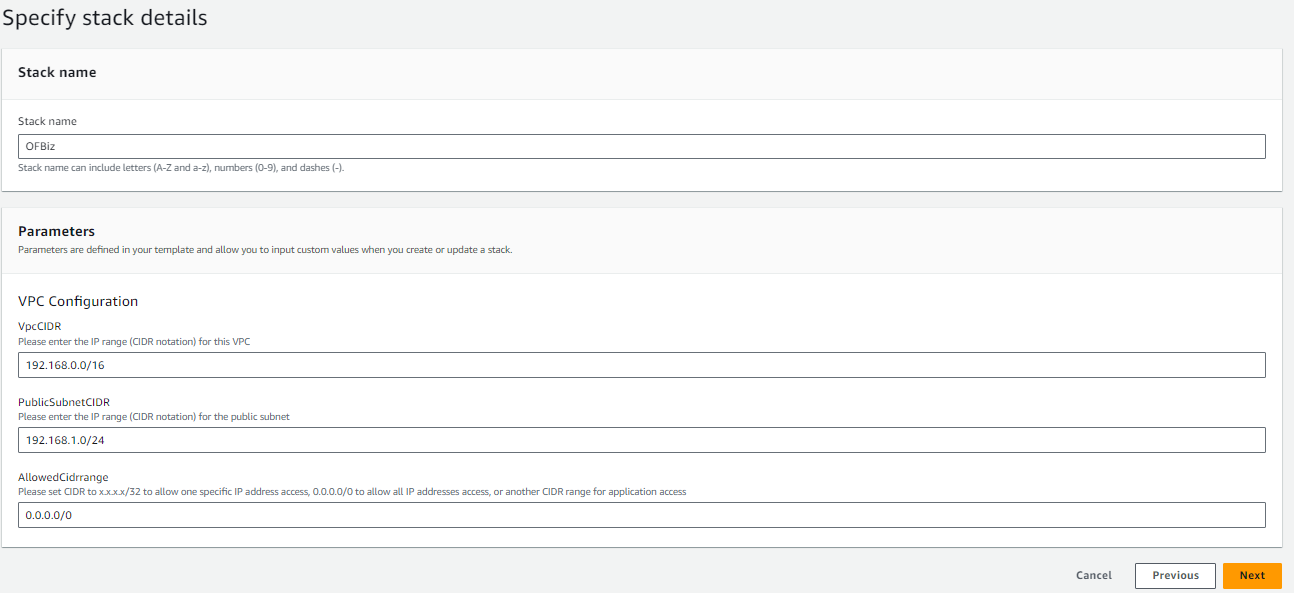
- Enter Your Stack Name and Configure the CIDR values as per your Requirements or leave them as the default and click next
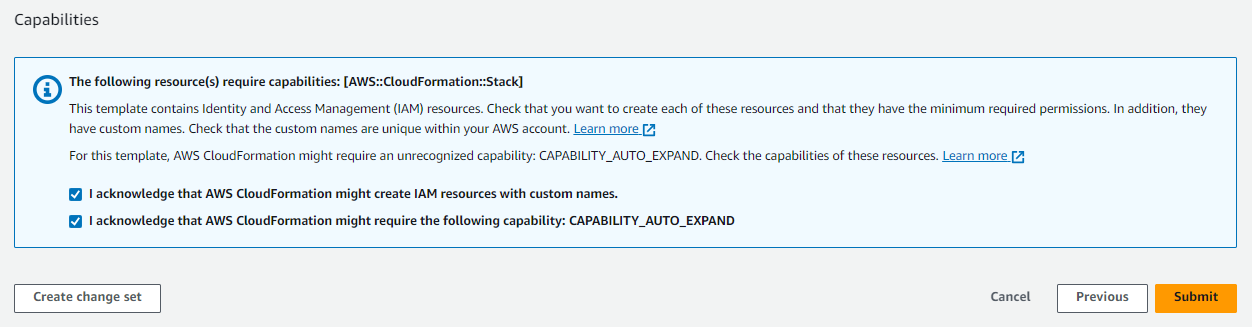
Accept the capabilities and click submit
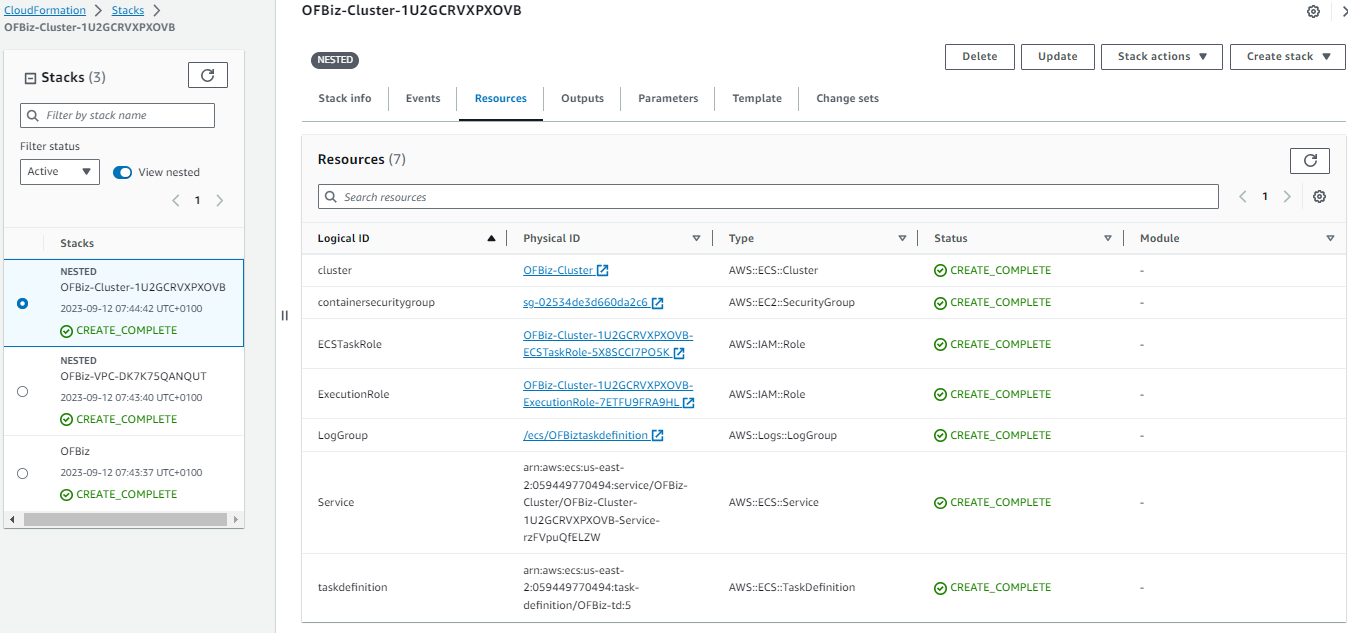
- Go to the Nested OFBiz cluster Resources and click OFBIZ-Cluster Link
- Goto the Task and open it You can find the Public IP
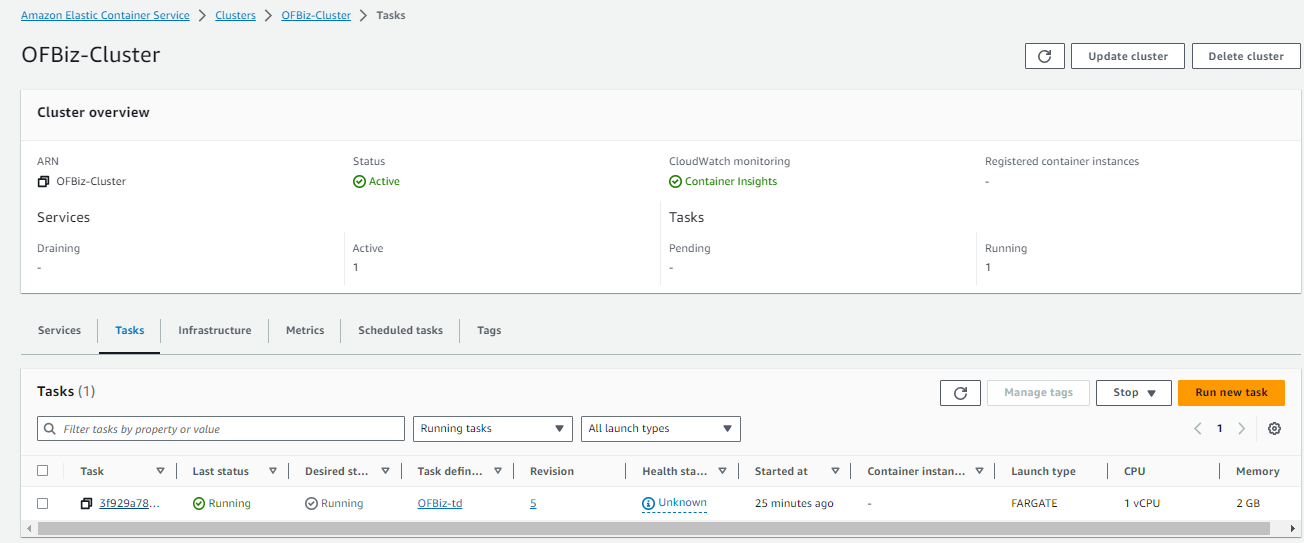
Note: Configuration typically takes 7 to 10 minutes, so please log in after 10 minutes.
- To get the password go to the logs page and search for OFBIZ_ADMIN_PASSWORD, Now you can copy your password
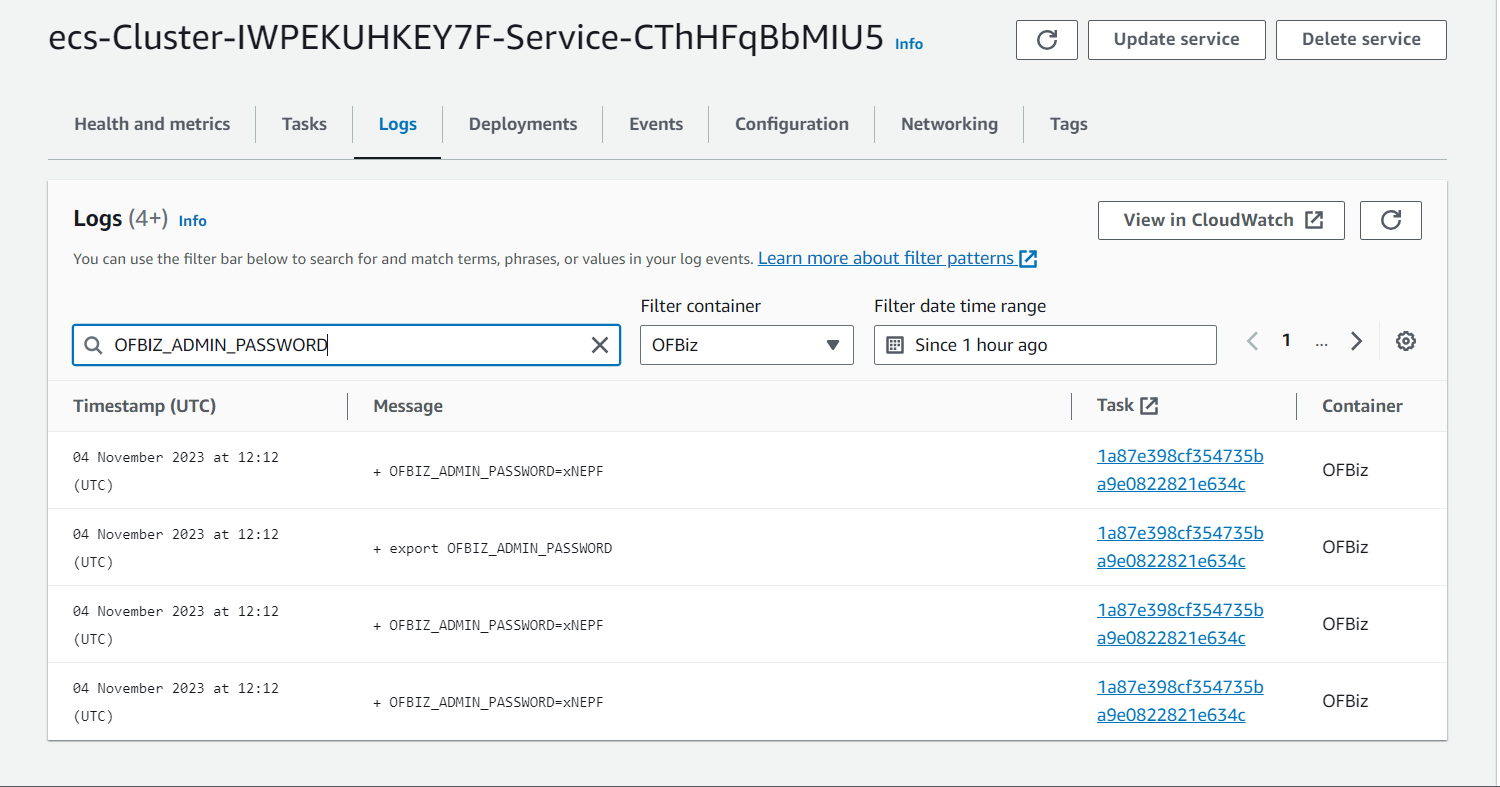
- Copy the Public IP and Replace the ‘’Public_IP’’ in the URL and Open the URL in your Browser
URL: http://Public_IP:8080/partymgr/control/main
- The Login Page appears
Enter the User Name as admin
Enter the Password as get from the Logs ( From Step 6)
- After the Login your application page looks like this and you are ready to configure the ERP application you want
Insights & Support
- For further details about Apache OFBiz and its uses, refer to the ofbiz. apache.org website
- We will do our best to respond to your questions within the next 24 hours or business days. For any technical support or query, you can mail support@yobitel.com.
- Check our other Containerized Cloud-Native application stacks, such as EKS, ECS, Cloud Formation, and AMI - Amazon Machine Images in AWS Marketplace.
Ship this in production
Apache OFBiz Enterprise ERP Solutions
One-click deploy into your own AWS account. Your data never leaves your VPC. Billed through your existing AWS account — no separate Yobitel subscription, no procurement overhead.